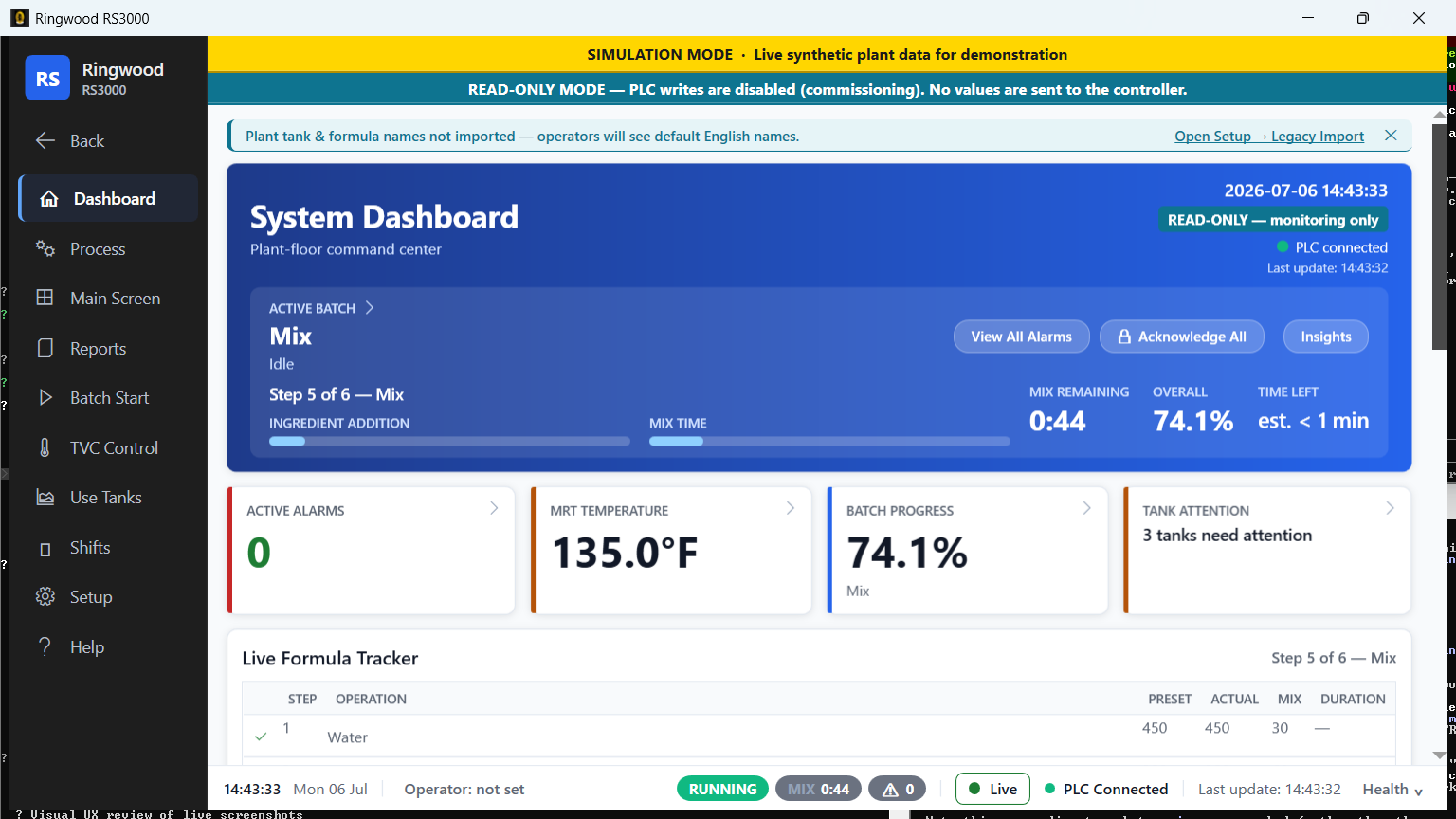
See the whole plant at a glance
One live screen replaces the menu-diving, so the crew reads plant state instead of assembling it.
-
One-glance dashboard
The running batch, plant health, key numbers, and tanks are all on the home screen the moment Ring opens.
Old system (RS-360): one screen per plant area; operators clicked between dozens to piece the picture together.
-
Live tank floor, your names
Every storage, mix, and use tank shown live — level, temperature, and batch status — under the tank names your plant already uses.
-
Numbers you can trust
Every reading is marked live or stale, so no one acts on a frozen value that looks current. After a power blip, Ring reconnects on its own and never reports a running controller as down.
Old system: a frozen-but-reachable controller could leave the screen looking normal.
-
Tap a number, open its screen
Touch any key figure on the dashboard to jump straight to the screen that explains or fixes it.
-
Stall warning before the alarm
Ring flags a step that has stopped progressing before the controller raises an alarm, so you catch a stall early.
Know what everything costs
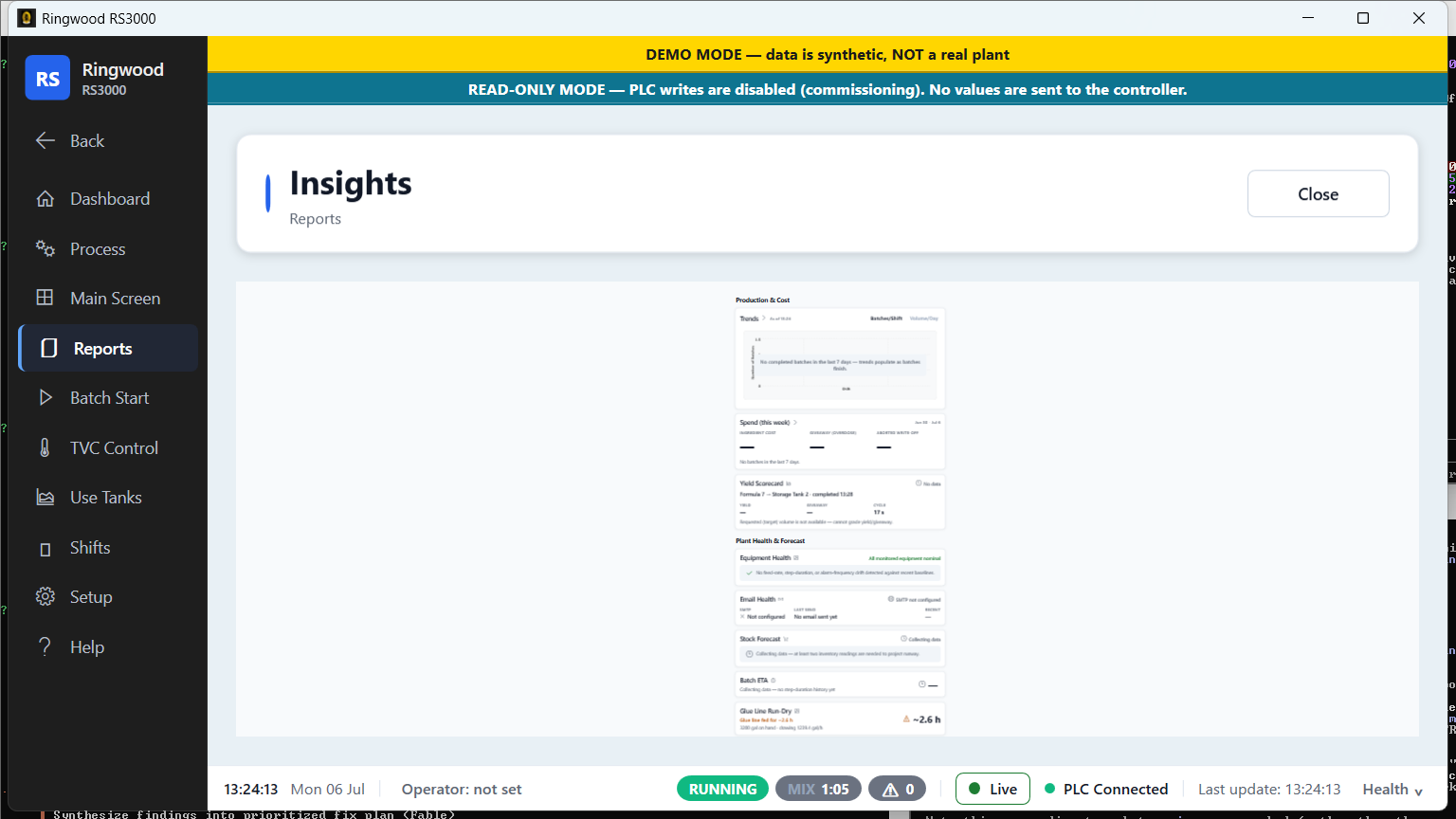
The money the old system never measured — now in front of you, in your own numbers.
-
Cost per batch and per week
See what each batch and each week actually cost, with price history preserved. Print it or email it as a Costs report.
Old system: it never tracked costs.
-
Giveaway tracking
Over-dosing turns into a running total of glue given away, so waste becomes a number you can chase. Example: over-dosing every batch by 2% is roughly a tonne of starch a month. Figures are illustrative.
-
Downtime in money, plus OEE
Downtime events are priced and rolled up, alongside an equipment-effectiveness (OEE) view of how the line is performing.
-
Ingredient stock forecast
A running forecast of raw material on hand, so you reorder before a tank runs dry.
-
Inventory that survives resets
Consumption totals stay accurate through a controller reset — no double-counting, no silently dropped record.
Fewer mistakes, calmer shifts
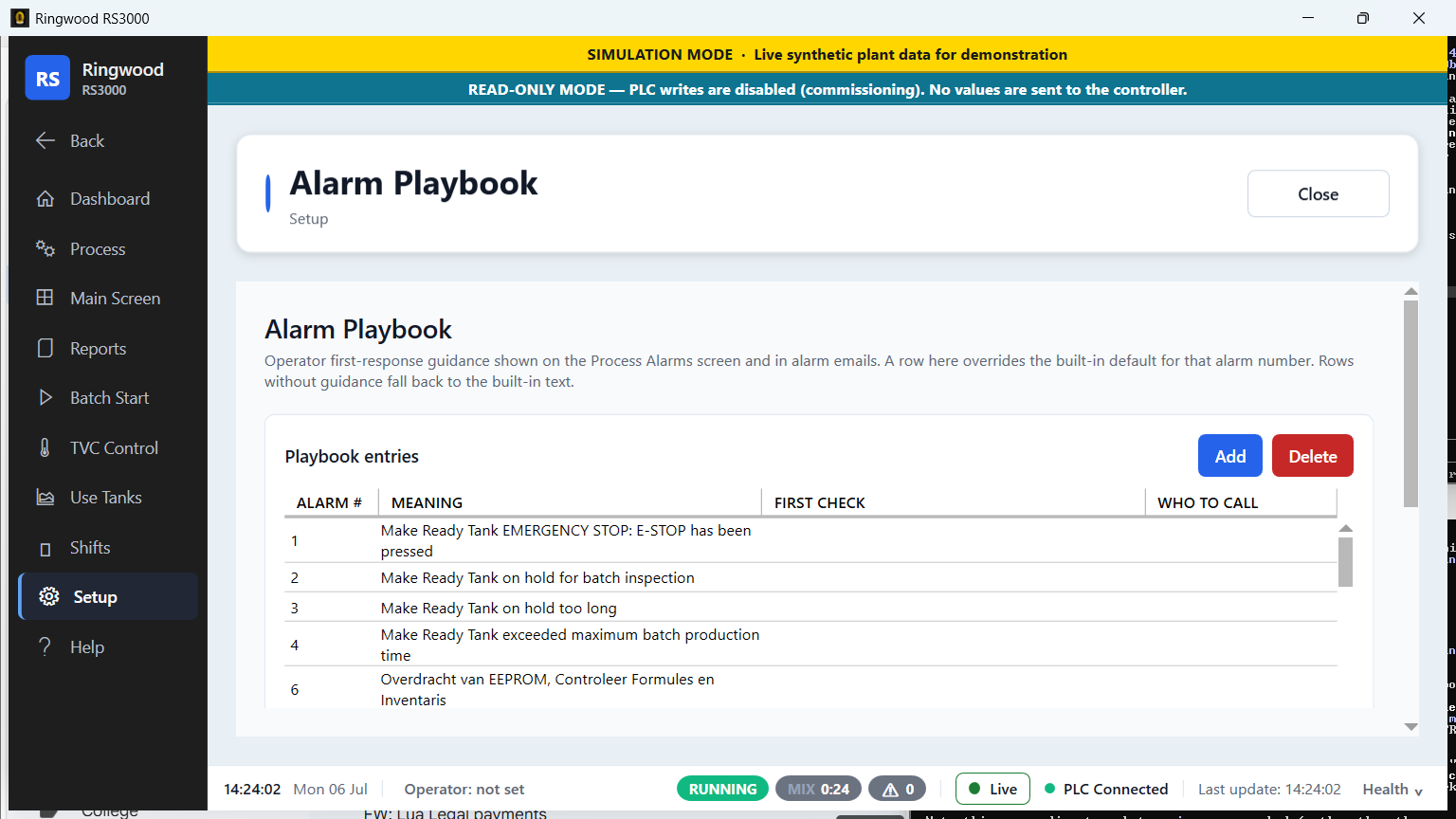
Guidance where mistakes happen — starting a batch, reading an alarm, handing over a shift.
-
Guided batch start
Pick the recipe, set the target, and read one plain sentence of exactly what will be sent — then confirm. The start command reaches the controller only at the very end, so a half-finished setup can never start the plant.
Old system: operators keyed numeric step codes and confirmed with a plain Yes/No box.
-
Alarms in the controller's own words
Every decoded alarm shows the controller's real wording, so there is nothing to misread mid-fault. Step-by-step first-response cards cover the most common alarms today, and supervisors can add their own.
Old system: numbered lines of terse Dutch text — some blank or "??" — with no guidance.
-
Alarm linked to its batch
Each alarm is tied to the batch that was running when it fired, so the next quality question answers itself.
Old system: alarms and batches lived in separate reports.
-
Email escalation with storm control
Critical alarms escalate to email off-site, with storm control so one bad night never buries the crew in messages.
-
13 languages, switched live In progress — full coverage
Every operator reads the screen in their own language and switches live, built from your plant's own Dutch terms. Core operator screens are translated today; full coverage of every screen is in progress.
Old system: one fixed language per install; switching meant a reload.
-
Digital shift handover
The outgoing crew writes an end-of-shift note; the next crew starts fully informed. Nothing important gets lost between shifts.
-
Built-in help and your manuals
On-screen help is one tap away, alongside the plant's original manuals, on-screen and searchable.
Records you own, software you can keep
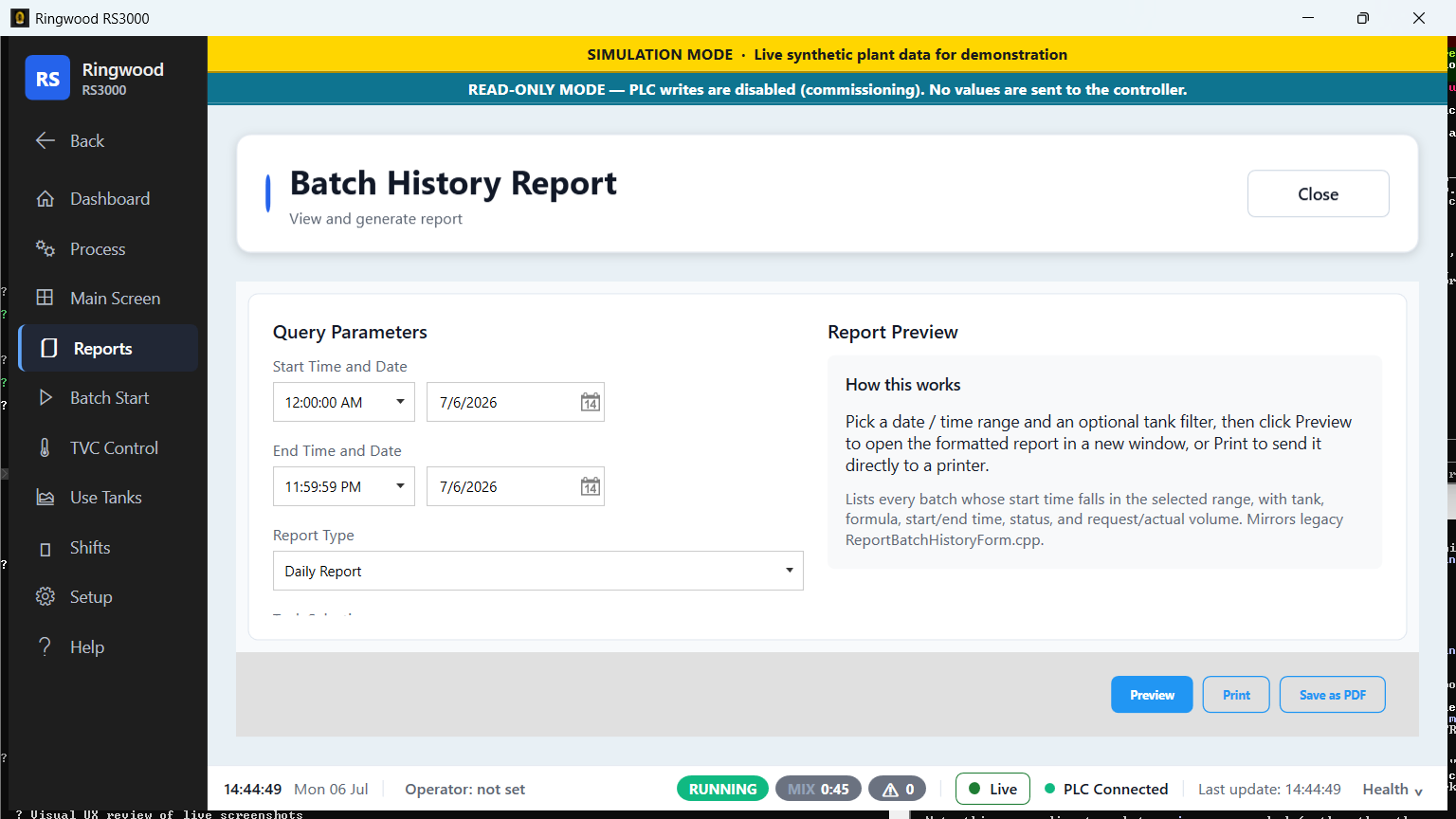
A record you can search, export, and keep — on a foundation any modern shop can maintain.
-
Every batch recorded, with notes
Batches are saved and stay searchable — even one interrupted by a power blip — and operators can attach a note to any run, so tribal knowledge lands where the next person will find it.
Old system: it kept batch records, but locked in a dead 2002 database nothing modern can open — and thin: no timing, no costs, no notes.
-
Minute-by-minute tank history
Ring records each tank's temperature and level about once a minute, with no extra load on the controller. These readings keep a rolling 30 days; batches, alarms, shifts, and costs are kept permanently.
Old system: no continuous tank history — no trends, no step timing.
-
Compare a batch to your best runs
Overlay a run against your own proven good batches and catch drift early enough to do something about it.
-
Full report suite, one-click Excel
Batch, alarm, usage, inventory, and shift reports from one database — print preview, PDF, scheduled email delivery, and an export that opens straight in Excel.
Old system: print-outs only — no PDF, and the data behind them locked in a dead database.
-
Backups you can run yourself
Back up and restore the whole database yourself, with a verified restore — no vendor call, no waiting.
-
1,400+ old batches ready to import
Your batch history was rescued from the old database and is ready to import into Ring during setup, so you start with history, not a blank slate.
-
Any modern software shop can maintain it
Ring is built on mainstream, widely supported software and an open database, so any modern shop can keep it running and extend it.
Old system: built with 2002 tools you can't hire for anymore.
Want every detail? The Feature Guide documents everything. Open the Feature Guide →